Sorry Bob Surgery Skill Game
Reviews
Sorry Bob Surgery Game Online offers a fresh take on precision gaming. The individual finger controls are clever and require real coordination. Each new operation adds variety and keeps the gameplay interesting. It is a great choice for players looking for a non-violent, skill-based challenge. The learning curve is gentle, and the satisfaction of completing a surgery is rewarding. Replayability is high due to unlockable content and the need to improve your accuracy.
About This Game
Game Introduction
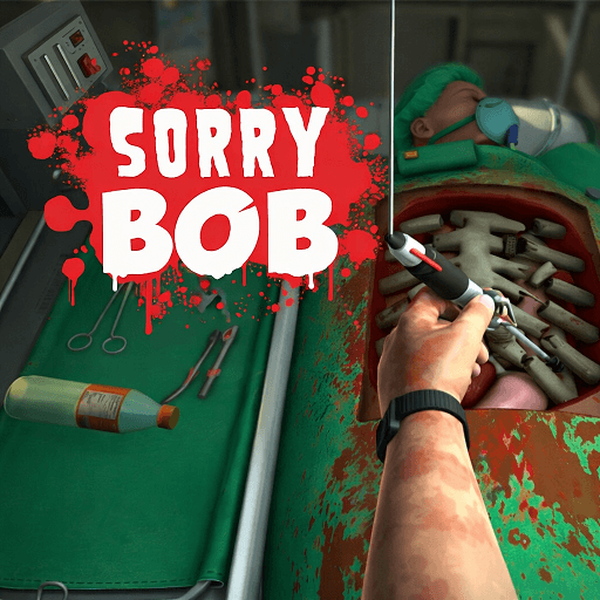
Sorry Bob is a unique and engaging surgery game where you take on the role of a surgeon's hand. Each finger is controlled individually, making even simple tasks like picking up a scalpel a test of precision and patience. Your goal is to complete various medical operations before time runs out or the patient's health depletes. As you succeed, you unlock new operations, environments, and challenges that require steady hands and careful planning. This game is designed to be fun and family-friendly, with no violent or inappropriate content, focusing instead on skill and coordination.
How to Play
To play Sorry Bob, you need to master the controls. Use the Space, A, W, E, or R keys to control individual fingers. Left-click to lower the hand, right-click to rotate the wrist, and move the mouse to position the hand. Each surgery has a clear objective, so read it carefully before starting. Pick up tools like scalpels, saws, hammers, and syringes from the operating table. Grip them gently—tightening too much or moving too fast can cause accidents. Perform the surgery by using the tools precisely, avoiding unnecessary damage to reduce health loss. Manage the patient's health by working efficiently; if the health level drops too low, you fail. Complete the surgery mission successfully with stable health to pass the level.
Game Features
Precision hand control mechanics. Family-friendly medical challenges with no violent content. Multiple operations and environments to unlock. Increasing difficulty that tests coordination and patience. Simple keyboard and mouse controls for all ages.
Tips for Success
Practice each finger's movement separately to build muscle memory. Start with easier surgeries to learn tool handling. Move slowly and deliberately to avoid mistakes. Keep an eye on the patient's health bar and work efficiently. If you feel stuck, take a short break to refocus your coordination.