Desktop Simulator Online
Reviews
Desktop Simulator Online is a charming browser simulation that faithfully recreates the look and feel of a real operating system. The built-in apps work surprisingly well, and the hidden easter eggs add a layer of discovery. The interface is intuitive, making it easy for anyone to start multitasking immediately. While the multiplayer aspect is a nice bonus, the single-player exploration is where the game truly shines. A great choice for curious minds who want to play with a virtual desktop risk-free.
About This Game
Game Introduction
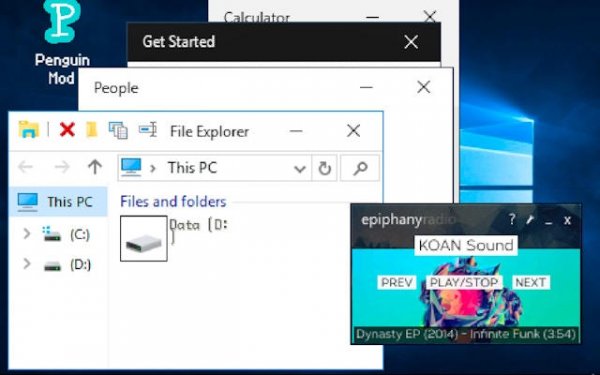
Desktop Simulator Online is a browser-based simulation that recreates the appearance and functionality of a modern operating system desktop. The game offers an interactive environment where you can explore familiar interfaces, launch built-in applications, and experience the workflow of a real computer workspace. The core objective is to enjoy a fully simulated desktop experience, from startup to shutdown, with authentic sounds and visuals. What makes this game unique is its attention to detail in mimicking a real OS, allowing you to experiment freely without any real-world consequences. You can run multiple programs at once, rearrange icons, and customize the taskbar just like on a physical computer. The simulation includes a variety of built-in apps that function similarly to real software, such as a word processor, drawing tool, calculator, and file browser. Hidden features and easter eggs are scattered throughout the desktop, rewarding exploration. Whether you are curious about how an operating system works or simply want a fun, risk-free way to play with a virtual desktop, this game provides a rich and engaging experience.
How to Play
To start, boot up the virtual desktop and navigate the interface using your mouse or touch input. Launch applications from the taskbar or start menu, such as a word processor, drawing tool, calculator, and file browser. You can run multiple programs at once, each maintaining its own state, just like on a real computer. Rearrange icons on the desktop, pin your favorite apps to the taskbar, and use the power menu to log out or shut down. Explore the system to discover hidden features and easter eggs that add to the fun. The game is designed to be intuitive, so you can jump right in without any prior training.
Game Features
Realistic multitasking with multiple applications running simultaneously. High-quality built-in apps that function similarly to real software, including a word processor, paint program, calculator, and file explorer. Detailed system behaviors such as startup, login, and shutdown screens. Hidden discoveries and easter eggs scattered throughout the desktop. Multiplayer support allows for shared experiences, and the game may include options for modifications to personalize your desktop.
Tips for Success
Take your time to explore every corner of the desktop to find hidden surprises. Practice multitasking by opening several apps at once to get comfortable with the interface. Use the file explorer to organize your virtual files and understand how the system works. If you enjoy customization, look for any modification options to tailor the experience to your liking. Finally, share your discoveries with friends who also play to enhance the multiplayer aspect.