Bowling King 3D Sports
Reviews
Bowling King delivers a solid bowling experience with smooth controls and attractive 3D visuals. The physics feel responsive, making each strike satisfying. Multiple alleys and obstacles provide variety, while online play extends replayability. It is a well-crafted sports game for casual and dedicated players.
About This Game
Game Introduction
Bowling King is a 3D sports simulation that recreates the classic bowling experience with modern visuals and intuitive controls. Players step into vibrant alleys, each with distinct themes and lighting, and aim to clear all pins in each frame. The game offers a realistic physics engine that responds to ball speed, angle, and spin, making every throw feel authentic. Whether you are a casual player or a bowling enthusiast, the core challenge of achieving strikes and spares keeps sessions engaging. As you progress, alleys introduce obstacles and unique pin formations, requiring creative strategies. The game balances accessibility with depth, allowing anyone to pick up and play while offering room for skill improvement.
How to Play
Start by selecting an alley and positioning your player on the lane. Use touch controls to adjust the aim left or right, then swipe to set the power of your throw. Before releasing, you can add spin by swiping in a direction, which affects the ball's curve. The goal is to knock down all ten pins in each frame. A strike clears them in one throw, while a spare takes two. After each throw, the game provides feedback on your technique. Competing against friends or global players adds a social layer, encouraging you to refine your aim and timing. Practice mode helps you master difficult angles and spin combinations.
Game Features
Stunning 3D graphics with detailed alley environments. Dynamic gameplay with realistic ball physics and pin reactions. Multiple game modes, including solo play and online matches. Progressive difficulty that introduces obstacles and complex pin setups. Intuitive touch controls for aiming, power, and spin. Global leaderboards to compare scores with others.
Tips for Success
Focus on consistent aim and power control. Practice adjusting your starting position and spin to handle different pin formations. Learn to read the lane conditions and adapt your throw accordingly. Use practice mode to experiment with angles and spin without pressure. Watch your ball's trajectory after each throw to identify areas for improvement. Stay patient and gradually increase your skill level.
Compatibility
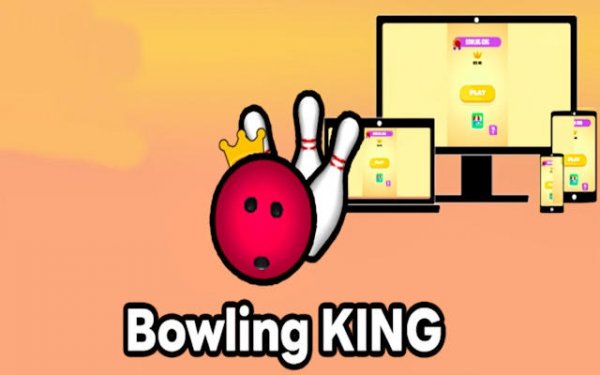
This H5 game runs smoothly on: • Desktop computers (Windows / Mac) • Mobile phones (iPhone / Android) • Tablets (iPad / Android) 🌐 Best experienced with Chrome, Safari, or Edge